macOS Tahoe 26 enterprise management takes a major leap forward alongside iOS 26, bringing powerful new capabilities for IT teams — from declarative device management and Platform SSO to enhanced security controls and faster device redeployment.
Importantly, these updates mark an important step forward in simplifying management, strengthening security, and embracing Apple’s declarative management future. Here are the highlights every enterprise should know:
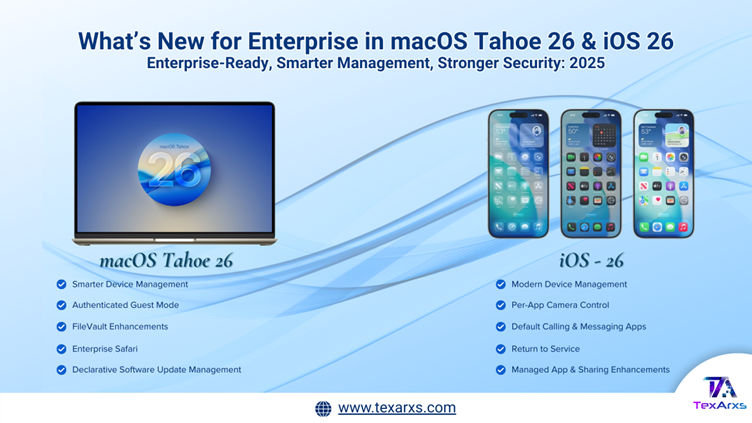
💻 macOS Tahoe 26 Enterprise Management: Key Highlights
1. Smarter Device Management
- Device Migration Support: Apple School Manager and Apple Business Manager now support migrating Macs to new MDM services, with enforceable enrollment deadlines.
- Declarative App Management: Admins can deploy App Store apps, Custom Apps, and even packages using declarative management for faster, more reliable results.
- Platform SSO During Setup: Platform Single Sign-On can now be activated directly during Automated Device Enrollment, delivering a seamless login experience for users.
- Authenticated Guest Mode: Short-term Mac users can log in with SSO—including Tap to Login via NFC accessories—without requiring a full account setup.
2. Enhanced Security & Compliance
- FileVault Improvements: The system automatically rotates recovery keys before escrow when a bootstrap token is exists.
- IT admins can now unlock FileVault remotely over SSH after a restart, improving remote management flexibility.
- Accessory Security Controls: Apple now extends accessory security settings to macOS Recovery for consistent enforcement.
- Cryptography Updates: Apple no longer supports older algorithms like DES, 3DES, SHA1-96, SHA1-160, weak DH groups in IKEv2 VPNs, strengthening enterprise VPN security.
3. Software Update Management Shift
- Apple has deprecated legacy MDM update commands and the com.apple.SoftwareUpdate payload and will be removed next year.
- IT teams must move all update workflows to declarative software update management for more efficient and reliable control.
4. Additional Enhancements
- Safari Configurations: IT can customize bookmarks, start pages, content summarization, and private browsing.
- Restore Skip Key: Skips the “Transfer Your Data” pane during setup when erasing devices through MDM.
- Network Extension URL Filtering API: Provides a system-wide, privacy-preserving web filtering solution.
- Stability Fixes: Improved AirPlay mirroring and Keychain Access usability.
📱 iOS 26: Enterprise Highlights
1. Modern Device Management
- Device Migration & Enrollment Deadlines: Just like on macOS, organizations can migrate iPhones and enforce timely enrollment into MDM.
- Declarative App Management: IT teams can now deploy App Store apps, Custom Apps, and packages via declarative management.
- Per-App Camera Control: Using the new allowedCameraRestrictionBundleIDs key, IT can manage which apps are allowed camera access.
- Default Calling & Messaging Apps: Enterprises can now define default calling/messaging apps using MDM—even alongside restrictions.
2. Return to Service Improvements
- On iOS, iPadOS, and visionOS, Return to Service now preserves Managed Apps during device reset.
- This allows a device to be wiped of user data but retain enterprise-deployed apps—accelerating redeployment for shared or loaner devices.
3. Enterprise Security Enhancements
- Safari Customization: Admins can enforce bookmarks, private browsing settings, and content summarization.
- Accessory Pairing Controls: On supervised devices, temporary pairing of AirPods/Beats is possible without syncing to iCloud—ideal for shared devices.
- Cryptography Updates & Filtering: Same as macOS, Apple has deprecated weak cryptography in VPNs, and the URL Filtering API is available across iOS for system-wide content controls.
4. Managed App & Sharing Improvements
- Apps deployed via MDM remain usable even if updates are deferred (“Later on Wi-Fi”).
- The Share Sheet now enforces Managed Open-In policies and displays only managed sharing options.
- iOS now prevents managed folder compression from bypassing restrictions.
5. Additional Enhancements
- AirPods & Beats Friendly Names: Devices now show the correct friendly name on setup, helping users identify their own devices in shared environments.
- FaceTime Restrictions Fix: Users no longer see unnecessary prompts when FaceTime is restricted.
💡 Why It Matters
Apple is moving decisively toward a declarative-first management model across all platforms. With stronger cryptography, enhanced SSO, app-level controls, and faster redeployment options, these updates:
- Reduce IT overhead with smarter automation.
- Strengthen organizational security and compliance.
- Improve user onboarding and shared-device workflows.
🔮 Key Takeaways
macOS Tahoe 26 and iOS 26 aren’t just cosmetic upgrades—they’re strategic updates for enterprise IT. If your organization relies on Apple devices, now is the time to start planning your transition to declarative management and exploring these new security and management tools.
👉 For more insights on Apple in the enterprise, MDM best practices, and IT transformations, follow TexArxs to stay ahead.