In today’s digital workplace, organizations must balance security, compliance, and productivity. A strong security strategy isn’t just about protecting devices—it’s about ensuring that sensitive data, apps, and services remain secure without hindering user experience. Apple’s ecosystem makes this balance easier by combining secure-by-design principles with powerful management tools like Mobile Device Management (MDM).
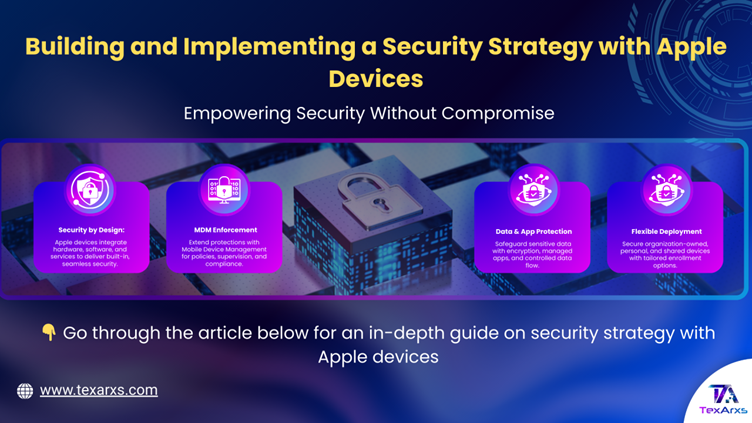
🧩 Apple’s Approach: Security by Design
Apple devices are built with security and privacy as a foundation, not an afterthought. Every iPhone, iPad, Mac, and Apple TV integrates hardware, software, and services to provide:
- 🔒 User-first experience – Security that feels seamless, not restrictive.
- ⚙️ Deep integration – Hardware-backed security features like Secure Enclave, File-Vault, and Gatekeeper.
- 🌐 Trusted ecosystem – End-to-end encryption, notarization, and industry-leading privacy protections.
This design philosophy ensures organizations can deploy devices confidently, knowing that security is already built in and ready to be extended through policies.
🚀 From Design to Deployment
While Apple devices offer strong default protections, every organization has unique requirements. Building a successful security strategy means:
- Defining baseline policies – password standards, screen lock timers, and acceptable use.
- Adapting policies – aligning existing security frameworks with Apple’s built-in technologies (e.g., replacing third-party encryption with File-Vault).
- Layering controls with MDM – enforcing restrictions, supervising devices, and separating work from personal data.
🛡️ Built-In Security You Can Leverage
Many protections are enabled automatically:
- 🔐Encryption – File-Vault on macOS and hardware-level encryption on iOS/iPadOS.
- 🧰Malware defences – Gatekeeper, Notarization, and XProtect.
- 🌍Network security – Always-On VPN, firewall, and certificate-based authentication.
With MDM, admins can extend and enforce these features, ensuring compliance while maintaining usability.
📱 Organization- and User-Owned Devices
Modern deployments often mix organization-owned, user-owned, and even shared devices. Apple provides flexible enrollment options to secure them all:
- ⚙️Automated Device Enrollment → mandatory, non-removable enrollment for corporate devices.
- 👤User Enrollment → separates work and personal data while respecting privacy.
- 🔑Account-driven enrollment → streamlined setup with Managed Apple Accounts.
Supervision further unlocks advanced controls, such as Lost Mode, Activation Lock management, and app restrictions.
🧠 Application & Data Security
Apps and data are where most security risks occur. Apple and MDM help you:
- Mark apps as managed (control backups, enforce removal, or mark as nonremovable).
- Securely distribute custom apps for internal use.
- Apply Managed Open In to prevent work data from leaking into personal apps.
- Use managed pasteboards, notification previews, and domains to control how data flows.
⚙️ Advanced Security Controls with MDM
Through MDM, IT teams can:
- Enforce passcode and biometric policies.
- Control software update cadence for testing and compliance.
- Use Managed Device Attestation to verify device integrity.
- Remotely lock or wipe devices if lost or stolen.
- Manage Activation Lock and Lost Mode for recovery.
For Macs, admins can also manage File-Vault encryption and even integrate smart card authentication.
🌐 Services & Accounts
Apple services enhance security when combined with management:
- Managed Apple Accounts → control access, enable federation with identity providers, and integrate authentication.
- iCloud Security → encrypted sync with granular admin controls for iCloud Drive and Backup.
- Apple Intelligence → privacy-first AI features that admins can selectively restrict.
🔗 Bringing It All Together
A strong Apple security strategy is multi-layered:
- Start with Apple’s built-in protections.
- Define organizational policies that balance compliance and productivity.
- Enforce and extend policies with MDM and supervision.
- Adapt as new technologies (like Apple Intelligence or Managed Device Attestation) evolve.
With this approach, organizations protect devices, apps, and data—while enabling users to stay productive and secure.
✨ Key Takeaway
Apple gives organizations a secure-by-default foundation, and MDM provides the control to adapt it to your needs. Together, they create a strategy that is resilient, user-friendly, and future-ready.